
How to Use a Letter to Binary Converter
Explore how letters convert to binary code 🔢, understand encoding methods, and discover tools that simplify letter to binary conversion for computing and telecom.
Edited By
James Carter
To deal with any digital text, computers convert characters into a language they understand — numbers. These numbers get turned into binary, the base-2 numbering system of zeroes and ones. The character 'a' is a simple yet classic example of this process.
Binary is fundamental for all computing because it matches the on/off states of electronic switches. When you type 'a' on your mobile or laptop, the machine doesn't see an 'a' as we do. Instead, it processes a specific sequence of eight zeros and ones that stand for 'a' in the ASCII (American Standard Code for Information Interchange) system.
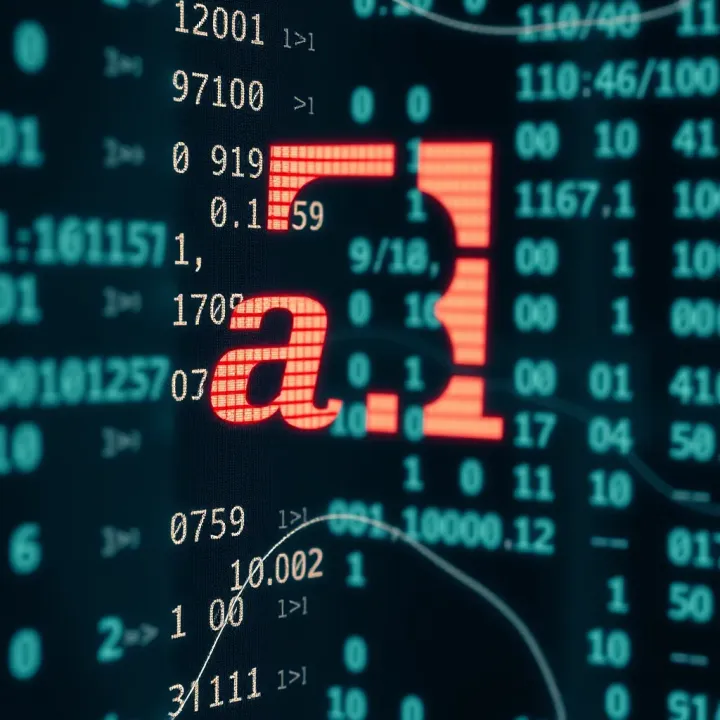
In ASCII, the letter 'a' is assigned the decimal number 97. When converted to binary, this number becomes the 8-bit sequence 01100001. Here, the first bit (leftmost) is the most significant bit, and the last bit is the least significant. This representation lets machines store, transfer, and manipulate text effectively.
ASCII is a standard coding system widely used in computing and digital communications to represent characters, ensuring consistent text processing across devices.
Understanding how 'a' translates to binary unfolds the logic of digital text encoding:
Each character gets a unique decimal number in ASCII.
The decimal number converts into an 8-bit binary number.
Devices read and act upon these binary numbers to display or process text.
This method extends beyond 'a' to all alphabets, numerals, and even special symbols, creating a universal language for digital devices.
For instance, programmers often work with these binary representations when building or debugging software, while educators use ASCII tables to teach character encoding basics. Traders and analysts can also benefit by understanding data encoding principles when evaluating technology stocks or software services.
In the next sections, we'll explore binary numbering, ASCII encoding in detail, and why this knowledge matters in practical computing scenarios.
Understanding the binary number system is essential to grasp how computers represent data, including characters like 'a'. Binary acts as the foundation for digital computing, making it possible to store, process, and transmit information efficiently. This system uses only two symbols, simplifying electronic circuit design and ensuring reliable operation even under varied conditions.
Binary is a base-2 number system that uses just two digits: 0 and 1. Unlike the decimal system, which works on base-10 with digits from 0 to 9, binary relies on only these two states to represent all numbers and data. In practical terms, think of binary digits — or bits — as simple 'on' or 'off' switches. For example, the decimal number 5 translates to binary as 101, which means the first and third bits are 'on', while the second is 'off'. This simplicity is why digital devices use binary to represent everything from numbers to letters.
A bit (binary digit) is the smallest unit of data in computing. Each bit can be either 0 or 1. When combined, bits form bytes (usually 8 bits), allowing representation of a variety of data. For instance, the lowercase letter 'a' has a binary representation of 01100001 in ASCII, spanning 8 bits. Each bit in this byte holds significance; changing even one bit alters the character completely. In Indian programming environments, understanding bits helps while dealing with tasks like bit masking or encoding schemes.
The decimal system uses ten digits and is familiar because it aligns with the way we count physically—using ten fingers. Binary, on the other hand, operates with only two digits. This makes binary compact and hardware-friendly but less intuitive for humans to read and write. For example, decimal 10 is simply 10, but binary shows it as 1010. This difference matters when converting data for display or processing.
Computers use binary because their electronic circuits have two stable states—powered and unpowered, or 'high' and 'low' voltage. This fits perfectly with the binary system’s 0s and 1s. Using binary reduces the chance of errors due to electrical noise and hardware inconsistencies. Plus, binary-based logic gates (AND, OR, NOT) form the core operations inside processors, enabling them to perform complex calculations swiftly and reliably.
Binary is at the heart of digital data handling. Every piece of digital content, whether text, images or video, converts into binary codes before storage or transmission. For example, when you type 'a' on your mobile keyboard, the device translates it into its binary ASCII code before displaying or sending it. In India’s booming IT sector, developers frequently work with binary protocols and file formats. Mastering binary means understanding how data flows through networks, memories, and applications, making it an indispensable skill.
Binary’s simplicity and universality make it the lingua franca of computers. Understanding its basics equips one to decode how digital information, right from simple letters to complex multimedia, is handled inside machines.
Understanding ASCII encoding is key when discussing how the character 'a' is represented in binary. ASCII, or the American Standard Code for Information Interchange, provides a standard way to translate characters into numbers. Computers work with numbers better than letters, so ASCII helps bridge human language and machine language. For anyone analysing or working with digital text, knowing ASCII makes it easier to comprehend how text is stored, transmitted, and processed.
ASCII was developed in the early 1960s to create a common language for electronic communication. Before ASCII, different computer systems used varied codes, causing confusion when exchanging data. The introduction of ASCII brought uniformity by assigning unique numbers to characters — letters, digits, punctuation, and control codes. This system allowed computers and devices to understand text consistently, and it is still foundational for modern encoding methods.
The practical side of ASCII lies in its simplicity: it uses 7 bits to represent characters, allowing up to 128 unique codes. This was enough to cover the basic English alphabet, numbers 0-9, and essential symbols. While newer encodings have expanded character ranges, ASCII remains the base for much of today's text processing, especially in programming and data handling.
The main aim of ASCII is standardisation. By assigning a fixed decimal code to each character, it eliminates ambiguity in digital communication. For example, when you type 'a' on your keyboard, the computer knows to represent it with the specific ASCII code. This consistency is crucial for exchanging information between different systems and platforms.
In India’s growing IT and software industries, ASCII knowledge helps developers understand how text data moves behind the scenes. From navigating file formats to programming languages, ASCII codes make handling characters predictable and reliable. Moreover, this understanding eases troubleshooting encoding issues, often encountered in multilingual applications.
The lowercase letter 'a' has an ASCII decimal value of 97. This number is significant because it tells the computer exactly which character you're referring to. Within programming languages like Python or Java, recognising that 'a' corresponds to 97 allows for a range of operations, such as sorting or converting characters.
Knowing the decimal value is not just theory; it helps when debugging code or dealing with ASCII tables. For instance, Indian coders optimising data transmission might need to check that the character 'a' aligns correctly in their data streams, improving efficiency in mobile or web applications.
The ASCII decimal code 97 converts to the binary number 01100001. This 8-bit binary includes a leading zero because ASCII originally uses 7 bits; the zero fills out a full byte for modern systems. Each bit represents a power of two, adding up to 97 when combined. This binary form is the actual code stored and processed inside computers.
Understanding the binary form helps tech enthusiasts and developers visualise how computers ‘think’ about text. For example, when you send a message via WhatsApp or email, the letter 'a' travels as this binary sequence. Even in educational setups like coding bootcamps or computer science classes in India, demonstrating this binary link makes abstract concepts concrete.
ASCII encoding transforms everyday characters like 'a' into numbers and then bits, enabling computers to handle language efficiently and consistently.
ASCII uses 7-bit codes, limiting to 128 characters.
'a' equals decimal 97 in ASCII.
Binary form of 'a' is 01100001, the code computers store.
Understanding ASCII encoding empowers you to grasp how text data works under the hood, a skill useful from programming to troubleshooting data issues.
Understanding how the letter 'a' is represented across various encoding standards clarifies the diversity and evolution of digital text processing. Different encoding systems affect how computers store, display, and transmit characters. This section highlights the main encoding standards—Standard ASCII, Extended ASCII, and Unicode (including UTF-8)—focusing on their binary representations and practical implications.
Standard ASCII covers 128 characters, including English alphabets, digits, punctuation, and control codes. This limited set suffices for basic English text but lacks symbols for languages with accents or special letters. Extended ASCII expands this range to 256 characters, adding extra symbols, accented characters, and some graphical icons. For instance, while standard ASCII uses 7 bits to represent characters like 'a' (decimal 97), Extended ASCII uses 8 bits allowing for more diverse characters, which can be vital in Indian languages or regional text representation.
In Standard ASCII, 'a' is represented as 01100001 in binary (7-bit), storing only basic English alphabets. Extended ASCII, using 8 bits, represents the same character as 01100001 but utilises the extra bit to include additional characters beyond standard ones. However, this leads to inconsistency across systems since Extended ASCII sets vary by code page or region, which can cause misinterpretation of characters when sharing files or data across different machines.
Unicode addresses the limitations of ASCII by offering a universal character set that spans over 1,00,000 characters, covering almost all languages and symbols. The character 'a' in Unicode has the same code point as in ASCII — U+0061 — keeping backward compatibility. This universality is crucial for India’s diverse linguistic landscape, facilitating uniform text processing across systems and software irrespective of the script.
UTF-8, the most common Unicode encoding, represents characters using one to four bytes. For 'a', UTF-8 uses a single byte: 01100001, identical to the ASCII binary form. This compatibility means files containing English text remain compact. But UTF-8 can also represent complex Indian scripts, like Devanagari, taking multiple bytes, enabling seamless multilingual support on digital platforms such as government portals or e-learning tools. The variable length encoding ensures efficient use of storage and bandwidth.
Unicode and UTF-8 provide a reliable way to represent 'a' and millions of other characters, essential for today’s multilingual computing, especially in a country as linguistically diverse as India.
In summary, understanding these encoding standards is key to grasping how computers handle text, where binary forms might look similar but serve different scopes and purposes.
Understanding how characters like 'a' are stored and processed in binary is fundamental to modern computing. Binary representation enables efficient text storage, seamless communication across networks, and flexible character manipulation within programming. This section explores these practical applications with relatable examples.
Text storage in computers relies on converting each character into a binary code, typically following standards like ASCII or Unicode. When you type the letter 'a' in a document, it's saved as a sequence of bits—for example, ASCII assigns it the binary code 01100001. This digital encoding allows computers to store diverse characters compactly and retrieve them accurately when needed.
Storing text this way ensures consistency across devices and applications. For instance, when text files are shared between systems, the underlying binary codes preserve the exact characters, enabling flawless reading on different platforms.
When it comes to transmission over networks, binary representation is crucial. Data sent across the internet or mobile networks is broken down into packets of binary data. The character 'a', represented by its binary code, travels through various network layers and hardware as electrical or optical signals.
Since all data—including text—is transmitted in binary, protocols ensure error detection and correction so that even if disturbances occur, the receiving device can reconstruct the original message accurately. This is especially vital for sending messages through mobile networks in India, where network conditions vary widely.
Programmers manipulate characters by working with their binary forms. For example, to convert lowercase 'a' to uppercase 'A', a simple bit manipulation in ASCII involves clearing a particular bit. Such operations are much faster and more efficient than working directly with abstract characters.
Many Indian developers use programming languages like Python, C, or Java to build applications for regional needs. For example, handling Unicode binary codes is essential when processing messages in multiple Indian languages, ensuring correct display and storage of characters in Hindi, Tamil, or Bengali.
In data processing, binary character codes enable sorting, searching, and transforming text data effectively. For instance, sorting customer names in a database depends on comparing the binary values of their characters. Efficient binary operations make such tasks scalable even when dealing with millions of records.
The binary representation of characters like 'a' underpins all text-related operations in digital systems, from simple storage to complex programming, making it a cornerstone of computing.
By grasping these practical uses, you can appreciate how binary data forms the backbone of everyday digital interactions, especially in the diverse and fast-growing Indian digital ecosystem.
Understanding how to convert the letter 'a' to binary manually and using digital tools fortifies your grasp over how computers interpret and process text. While manual conversion deepens foundational knowledge of binary systems, online tools offer efficiency and accuracy, especially when dealing with larger data or complex characters.
Converting decimal numbers to binary manually enhances comprehension of the binary numbering system. For instance, the decimal ASCII value for lowercase 'a' is 97. To convert 97 into binary, start by dividing by 2 and noting the remainders:
97 ÷ 2 = 48 remainder 1
48 ÷ 2 = 24 remainder 0
24 ÷ 2 = 12 remainder 0
12 ÷ 2 = 6 remainder 0
6 ÷ 2 = 3 remainder 0
3 ÷ 2 = 1 remainder 1
1 ÷ 2 = 0 remainder 1
Write the remainders in reverse order to get 1100001, which is the 7-bit binary equivalent of 97. This systematic approach shows how computers break down decimal values into binary digits.
Examples of manual conversion help reinforce this: if you convert decimal 98 (letter 'b'), the process yields binary 1100010. Practising such conversions aids not only in grasping binary basics but also in troubleshooting or understanding how characters are encoded in computing.
Several reliable online converters simplify binary conversion by automating the process, saving time and reducing errors. Tools like RapidTables or BinaryHexConverter allow you to input decimal, ASCII, or even characters directly, outputting their binary forms precisely. These are especially handy for learners checking their manual calculations or for programmers working with larger datasets.
To verify binary codes generated manually or by tools, you can cross-check by converting the binary back to decimal or by using programming environments like Python or JavaScript. Running simple scripts to confirm that a binary string corresponds to the intended character ensures accuracy. For example, in Python, you can verify binary '1100001' converts back to integer 97, which maps to 'a' using the chr() function.
Accuracy in binary conversion matters a lot in programming and data transmission; a single misplaced bit can change a character entirely.
Combining manual techniques with online tools thus provides a balanced skillset—deep understanding paired with practical efficiency—for working confidently with character binary representations.
Explore how letters convert to binary code 🔢, understand encoding methods, and discover tools that simplify letter to binary conversion for computing and telecom.
Learn how to multiply binary numbers with clear steps, examples, common mistakes, and method comparisons 🧮 Perfect for students & pros alike!
Learn how to convert octal numbers to binary easily with step-by-step methods, real examples, common pitfalls to avoid, and handy tips 🔢💡

Learn how to convert numbers to binary easily 🧮. Explore manual and automated methods, applications, and key concepts for beginners and pros alike 💡.
Based on 15 reviews