

Understanding Octal to Binary Conversion
🤔 Confused about octal to binary conversion? Get clear steps, examples, and tips to avoid common mistakes. Perfect guide for students and learners!
Edited By
Isabella Green
Understanding how to convert binary numbers to octal is a handy skill, especially in fields like computing, digital electronics, and data analysis. Both binary and octal number systems are widely used in computer science, but they serve different purposes. Binary, the base-2 system, represents data using just 0s and 1s — the language computers understand directly. Octal (base-8), on the other hand, shortens those long strings of binary bits into more readable sets, making it easier to interpret and work with large binary numbers.
The conversion process may seem tricky at first, but it actually follows a clear, step-by-step method. Unlike converting binary to decimal, binary to octal conversion groups bits together, simplifying the translation and reducing chances of human error. In practical terms, this conversion helps at multiple levels, such as programming microcontrollers, designing digital circuits, or decoding machine-level instructions.

Grouping binary digits into threes directly relates them to octal digits, since each octal digit corresponds to exactly three binary bits.
This article will break down the basics of both number systems so you can grasp their structure quickly. Then, it will guide you through the conversion steps with examples to clarify each stage practically. Additionally, it will highlight common pitfalls to avoid, ensuring your conversions are accurate every time.
For traders and analysts working with technology sectors, knowing these conversions can aid in understanding data-related processes, while educators and tech enthusiasts will benefit from a strong foundational grasp that supports further exploration into digital computing concepts.
With this introduction, you're ready to explore how to turn those binary streams into neat octal numbers, making your work with digital systems a lot easier.
Understanding the binary and octal number systems forms the foundation for efficient data representation and conversion, especially relevant in digital electronics and computer programming. Binary, the language of computers, works on just two digits, while octal conveniently compresses binary digits into fewer symbols. Grasping these systems simplifies complex computations and reduces errors in tasks like memory addressing or coding.
Definition and use of binary: Binary is a base-2 numeral system, using only two digits: 0 and 1. This system is crucial because digital circuits operate on two states—off (0) and on (1). For example, inside your mobile phone’s processor, every instruction boils down to binary signals, making this numbering system the backbone of digital technology.
Digits involved and place values: Binary digits, often called bits, represent powers of two depending on their position. From right to left, each bit holds values like 2⁰ (1), 2¹ (2), 2² (4), and so on. So, a 5-bit binary number like 10101 equals 1×16 + 0×8 + 1×4 + 0×2 + 1×1 = 21 in decimal. This positional value system makes it straightforward to compute or convert between numbers.
Role in digital systems: All modern electronic devices rely on binary logic. Whether it’s programming microcontrollers or interpreting sensor data, binary encoding ensures reliable, fast processing. For instance, while debugging software, developers often examine binary data to find errors or optimise performance.
Digits used in octal: Octal is a base-8 system using digits from 0 to 7. Unlike decimal or binary, it consolidates information in chunks, where each octal digit represents three binary bits. This grouping makes octal a natural shorthand for binary sequences.
Comparison with binary and decimal: While decimal (base-10) is common for everyday counting, octal provides a compromise between length and readability. Binary numbers can become long and cumbersome—for example, the binary sequence 11011011 is easier to write as 333 in octal. This reduces human error when reading or writing.
Reasons for using octal: Octal finds use in electronics and computing for its straightforward mapping from binary, easing tasks like programming and memory referencing. Before hexadecimal (base-16) became widespread, octal was popular in early computing for simplifying binary representations without losing precision. Its relevance persists in specific embedded systems and teaching contexts, especially in Indian technical education where foundational understanding is critical.
Remember, knowing both binary and octal well helps you handle digital data more effectively, whether working on hardware design or software development.
Converting binary numbers to octal simplifies handling and reduces complexity when dealing with long strings of binary digits. Since binary numbers grow lengthy very quickly, especially in computing tasks, shifting to octal representation means fewer digits are involved, making it easier to read and verify numbers. For instance, a 12-bit binary number like 110101101011 becomes a neat 3163 in octal, condensing the information without losing precision.
The main reason to convert binary to octal is grouping bits in sets of three, which naturally matches with octal digits. Every octal digit represents exactly three binary digits. This grouping lets you break down a cumbersome binary string into manageable chunks, improving readability and reducing the chance of errors during manual analysis. For example, the binary number 101011 can be split into 010 101, which transforms to 2 5 in octal.
Breaking the binary down this way helps you visualise data more clearly. Indian students and professionals working with microcontrollers or low-level programming will find this especially useful since these settings often require bitwise operations and quick understanding of binary values.
A direct result of grouping is shorter numbers. Binary numbers can be long—tens or hundreds of bits—making them difficult to handle or display. Octal compresses those strings, almost by a factor of three, which is handy for representing memory addresses or machine codes in a readable form. This reduced length is not just convenience; it helps avoid errors during data entry or debugging as fewer digits mean less risk of mistyping.
This reduction also matters in educational contexts or when reading raw data dumps in electronics lab experiments, where quick interpretation is needed rather than detailed computation.

Octal numbers have long been part of programming history, particularly in early assembly languages where programmers wrote machine-level instructions. Since microprocessors process data in binary but developers prefer concise formats, octal acts as a bridge. Many assembly instructions or memory addresses were listed in octal bytes, making coding tasks faster and less error-prone.
Consider an Indian developer working on embedded systems using assembly. Octal codes help here by letting them work directly with hardware registers and flags without dealing with bulky binary constants. This tradition still lingers in some niche software tools and educational settings.
In electronics, octal representation links closely with hardware structures. Digital circuits like multiplexers and RAM chips organise data in groups that map well to octal numbers. For example, 3-bit groupings correspond exactly to octal digits, making addressing and control signals easier to design and troubleshoot.
This relationship means hardware engineers and technicians in India, working with digital logic or telecom equipment, rely on octal values to simplify schematics and logic gate configurations. It offers a clearer, compact view of complex binary patterns.
Using octal instead of binary reduces human error and enhances clarity in both programming and hardware design, bridging the gap between raw data and human understanding.
Understanding how to convert binary numbers to octal step-by-step helps simplify complex calculations in digital electronics and computing. This process breaks down long binary strings into manageable chunks, making them easier to read, write, and interpret. For traders and analysts working with data in digital form, mastering these steps ensures accuracy and efficiency when dealing with binary-coded information.
Grouping binary digits into sets of three from right to left is the cornerstone of binary-to-octal conversion. Since one octal digit represents exactly three binary bits, dividing the binary number into triplets aligns each group with its corresponding octal value. For example, the binary number 101101 is grouped as 101 and 101—starting from the least significant bit. This method reduces errors during conversion and offers a clear, standard procedure applicable across different binary lengths.
Handling leading zeros within these groups is equally important. When the total number of binary digits isn't a multiple of three, you pad the leftmost group with zeros to complete the triplet. Suppose you have 11011, it becomes 011 011 after adding one leading zero. This step ensures no loss of information while maintaining consistent group size.
Each three-bit binary group directly maps to an octal digit from 0 to 7 through simple decimal equivalents. For instance, 000 maps to 0, 001 to 1, up to 111 which maps to 7. This binary triplet to octal digit mapping eliminates the need for complex base conversion formulas, making the process more straightforward and less prone to mistakes.
Consider the binary number 101 011 110: the groups convert to octal digits 5 (101), 3 (011), and 6 (110), respectively. By converting each triplet individually, the entire binary sequence is translated into a much shorter, easier-to-handle octal number.
Once each triplet is converted, the octal digits are combined in the same order—from the leftmost group to the right—to form the final octal number. Using the previous example, the digits 5, 3, and 6 merge to become 536 in octal. This step reflects the actual representation of the original binary number in octal form, allowing further applications such as simplifying memory addressing or debugging.
It is always good practice to verify the conversion by either re-converting the octal result back to binary or by using a calculator to check the decimal equivalent of both numbers. This double-check helps catch errors such as incorrect groupings or misread digits, ensuring the reliability of data handling in your work.
Grouping binary digits into triplets and converting them directly to octal digits is an efficient way to manage and interpret binary data relevant to multiple fields, including programming, electronics, and financial data analysis.
Converting binary numbers to octal is a straightforward process, but there are common pitfalls that learners and practitioners often face. Recognising these challenges helps in avoiding errors that can lead to incorrect results, especially when working with large binary numbers or in programming contexts where precision matters.
Misalignment of groups: A key step in converting binary to octal is grouping the binary digits into sets of three, starting from the right (least significant bit). Misalignment occurs when these groups are not formed properly, for example, starting the grouping from the left or missing some digits. This misstep can result in producing wrong octal digits. Consider the binary number 1011011; if grouped from left incorrectly as 101 101 1, the last group has only one bit, leading to confusion. Properly, it should be 1 011 011, adding leading zeros to get full triplets: 001 011 011.
Ignoring leading zeros: Leading zeros in the leftmost group are often overlooked, but they are necessary to complete the group of three bits. Without including these zeros, the conversion process will fail to assign the correct octal digit. For example, binary 11001 must be grouped as 000 110 01, then padded to 000 110 001. Ignoring these zeros results in incomplete groups and a wrong octal number. Always remember to pad zeros on the left when the total number of bits isn’t a multiple of three.
Incorrect binary to octal mapping: Each group of three binary bits corresponds exactly to one octal digit (0–7). A common error is misinterpreting the binary triplet, such as reading 010 as 3 instead of 2. For instance, triplet 111 maps to octal 7, 100 maps to 4, but if confused, the output octal number turns incorrect. Always convert each triplet carefully following the binary to decimal straightforward mapping.
Verification techniques: To avoid mistakes, verifying the conversion is advisable. One effective method is to convert the obtained octal number back to binary. If the binary result matches the original input, the conversion is correct. Another approach is to use a calculator or simple software tools for cross-checking. Additionally, practising manual conversions with varied numbers sharpens accuracy and confidence.
Remember, small errors in grouping or mapping can distort entire calculations, especially in computer programming and digital circuit design where binary and octal numbers are frequent.
By paying close attention to these common challenges, you can enhance both speed and accuracy in binary to octal conversions, making computations reliable every time.
Practical examples and exercises form the backbone of truly grasping the binary to octal conversion process. When you actually work through real binary numbers and convert them to octal, the theory quickly turns into something tangible. This practice sharpens your ability to spot errors, handle exceptions like leading zeros correctly, and build confidence for more complex tasks that arise in computing and electronics.
A 6-bit binary number like 101101 illustrates straightforward grouping and conversion. Splitting it into sets of three from the right gives 101 and 101. Each group converts to 5 in octal, so the final octal is 55. This example is important because 6-bit chunks appear often when dealing with data packets or compact binary codes used in microcontroller programming.
For a 9-bit binary number such as 110101011, grouping forms 110, 101, and 011. Converting each triplet gives octal digits 6, 5, and 3, making the octal number 653. This example shows how larger binary sequences are handled, a common scenario while working with 8-bit or 16-bit registers where leading zeros are involved to make complete triplets.
Dealing with large binary numbers means managing many triplets, often making manual conversion tedious yet essential for understanding memory addresses or debugging in hardware design. For instance, converting a 24-bit binary string involves grouping into eight parts and carefully mapping each to octal digits. Practising this helps develop discipline in bit handling, crucial for low-level software development, especially in embedded systems.
Binary numbers with leading zeros like 000101110 test your attention to detail because those zeros must be included to correctly group bits in threes. Overlooking them leads to wrong octal answers, particularly problematic in digital logic when every bit counts. Exercises here reinforce the habit of always padding binary digits to multiples of three, ensuring your converters or mental calculations remain precise and reliable.
Working through such examples is more than just practice; it builds an intuitive understanding necessary for programmers, engineers, and analysts dealing with binary data daily.
Start with clear, smaller binary numbers to gain confidence.
Gradually try longer and padded sequences to prepare for real-world applications.
Always double-check grouping and conversion steps.
Mastering these exercises bridges classroom concepts and practical Indian tech scenarios, from coding microcontrollers to analysing binary-coded decimal data in electronics.
Binary to octal conversion has practical uses across various fields, especially in digital electronics and computer programming. This conversion streamlines complex binary data, making it easier to interpret, design, and debug systems. Its relevance extends from simplifying circuits to improving clarity in programming and troubleshooting.
Simplifying circuit design: Using octal numbers instead of long binary strings helps engineers design digital circuits more efficiently. Each octal digit corresponds to exactly three binary digits, so representing large binary patterns as octal numbers reduces the length and complexity.
For example, a 12-bit binary number like 101110011010 becomes 2732 in octal, which takes less space to write and handle. This simplification is especially useful when designing combinational and sequential circuits, where grouped signals correspond naturally to octal digits. It reduces the chances of error and speeds up the design process.
Memory addressing: In hardware design, memory locations are often referenced using binary addresses. Octal offers a more compact and readable way of representing these addresses, especially in systems organised around 3-bit address segments.
Instead of dealing with a long binary address string, engineers can write addresses in octal, which directly maps to memory locations. This reduces confusion during memory mapping and helps maintain accuracy. Early computer systems and some microcontrollers still use octal notations in referencing memory, showing the practical legacy of this conversion.
Binary data representation: Programmers sometimes translate binary data into octal to handle values in a shorter form while maintaining precision. For example, shell scripts and certain assembly languages allow entering literal values in octal format.
This makes it easier for programmers to read, write, and remember bit patterns without converting back and forth constantly. Additionally, hardware registers and control bits often align with octal digits, making this representation directly relevant in low-level programming.
Debugging tools and symbolic representation: When debugging embedded systems or analysing machine code, tools may display values in octal form. This helps developers identify patterns or errors without dealing with lengthy binary strings.
Octal representation aligns neatly with byte groupings, which often simplifies symbolic debugging and trace outputs. For instance, when a debugger shows memory content or register values in octal, it becomes easier to spot patterns or spot where faults are occurring, accelerating the debugging process.
Using octal alongside binary optimises clarity in electronics and programming, making a technical job more manageable and less error-prone.
🤔 Confused about octal to binary conversion? Get clear steps, examples, and tips to avoid common mistakes. Perfect guide for students and learners!
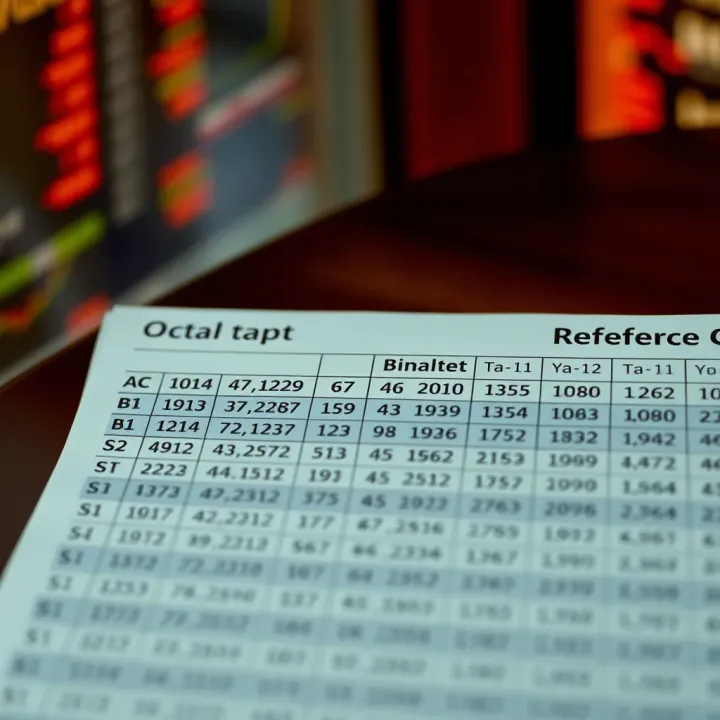
Learn how to convert octal to binary with an easy reference table 📊. Discover practical tips for programming and digital electronics in this clear guide.

🔢 Learn how the binary number system works and master converting binary numbers to decimal easily with step-by-step methods and real-life examples.

Learn how to convert binary code to Gray code step-by-step 🔢, understand its use in digital systems, and why it reduces errors in data handling 📊.
Based on 6 reviews