

How to Convert Binary Numbers to Hexadecimal
Convert binary to hexadecimal with clear steps 🧮 and examples. Perfect for engineers, students, and programmers working on digital electronics and coding 🔢.
Edited By
Sophie Harrington
Binary data forms the backbone of digital files, representing everything from images to documents in a raw form machines can understand. When dealing with PDF files specifically, the data you handle is more than just raw bytes—it follows a precise structure dictated by the PDF specification. Understanding this structure is key to converting binary data accurately into a usable PDF format.
PDFs combine text, images, fonts, and interactive elements organised within a container that allows consistent rendering across devices. Unlike plain binary blobs, PDF files carry metadata and object hierarchies. So, simply renaming a binary file as ".pdf" won't ensure proper viewing or printing.
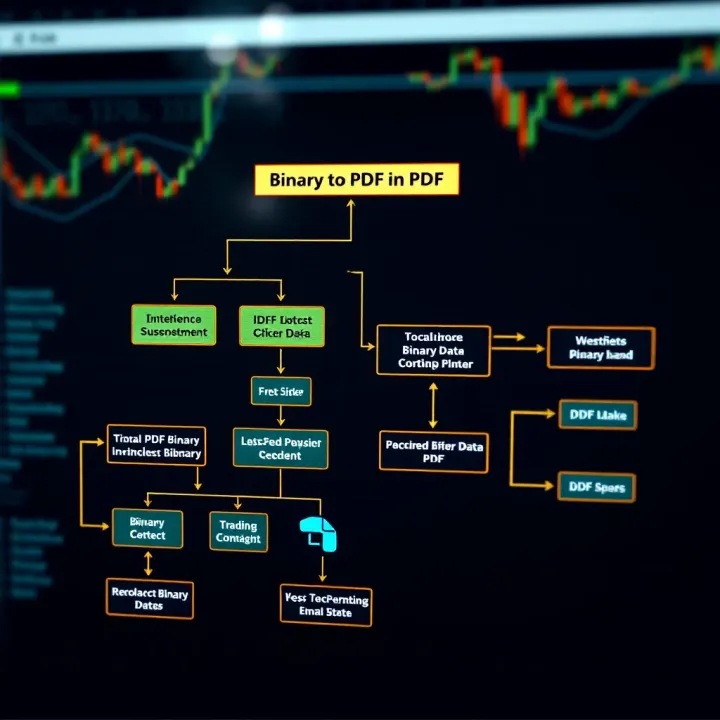
The process of converting binary data to PDF typically involves interpreting the binary content correctly—whether it's a scanned document stored as raw image bytes or a serialized PDF stream—and repackaging it into a compliant PDF document. This requires tools or code that can parse, manipulate, and rebuild PDFs while preserving data integrity.
Using programming libraries like PyPDF2 or iText to construct PDFs from byte streams.
Employing command-line utilities such as Ghostscript for raster to PDF conversion.
Leveraging online converters that accept binary uploads and return PDFs.
Handling encoding and character sets meticulously prevents garbled text or corrupted files during conversion. It's wise to validate the output PDF using readers like Adobe Acrobat or open-source alternatives.
In real-world scenarios, traders and analysts often convert binary report data from proprietary formats into PDFs for universal sharing. Educators digitising handwritten notes use scanning devices that capture raw binary images needing conversion to PDFs for easy distribution.
By grasping the interplay between binary data and PDF structure, you can select suitable methods and tools that ensure your converted PDFs maintain accuracy and usability across platforms. This foundation is critical before exploring practical steps and best practices for effective conversions.
Grasping the nature of binary data and understanding the PDF (Portable Document Format) structure is key when converting data from one form to another. This knowledge helps ensure accuracy and preserves the integrity of your documents, especially when handling complex files like reports or legal contracts common in Indian businesses and educational institutions. Without such understanding, the risk of file corruption or unusable output rises significantly.
Binary data represents information using zeros and ones — the fundamental language of computers. Unlike text files that store characters readable by humans, binary files hold a sequence of bits that need specific interpretation. For instance, an image saved as a JPEG or a PDF document itself is stored in binary form. When you download a bank statement in PDF from SBI's net banking platform, you're dealing with binary data under the hood.
Binary data might include files like executables, images, audio, and document formats. Unlike raw text, binary data requires correct handling and conversion so it is not misread or damaged. This is why understanding what binary data is matters when your goal is to transform it into a PDF — a process common for preserving document layout and ensuring compatibility across devices.
The PDF format organises data into sections, such as header, body, cross-reference table, and trailer. This structure allows PDF readers to display content consistently regardless of the device or software. For example, a PDF insurance policy downloaded from an IRDAI-registered insurer contains fonts, images, and text arranged within this organized framework.
Key components include:
Header: Specifies the PDF version.
Body: Contains objects like pages, fonts, and images in a structured way.
Cross-reference Table: Helps locate objects quickly within the file.
Trailer: Points to the start of the cross-reference table and contains the root object.
Understanding this structure helps in converting binary data correctly by ensuring all required parts are present and well-formed. For developers working on conversion tools, knowing the role of objects and streams inside a PDF helps maintain layout, fonts, and security features such as encryption or digital signatures.
Mastering binary data and PDF structure is essential for reliable conversions. It not only safeguards data integrity but also guarantees your final PDF works well for sharing, printing, or archival purposes.
This foundational knowledge sets the stage for exploring practical conversion methods and troubleshooting common challenges encountered during the transition from raw binary forms to polished PDFs.
Converting binary data to PDF format is often necessary because PDFs offer a dependable way to present and share content universally. Unlike raw binary files—often unreadable without specific software—PDFs maintain formatting, layout, and embedded media intact across various devices and platforms. This reliability makes PDFs a preferred choice for exchanging documents, especially in professional settings.
PDF files ensure consistent appearance regardless of the device or operating system. Whether you're viewing documents on a Windows laptop, an Android phone, or an iPad, the format preserves fonts, images, and layouts without distortion. This is particularly useful for contracts, invoices, and official letters where even minor alterations can lead to misunderstandings.
Security is another major advantage of PDFs. Files can be password-protected or encrypted, limiting access and preventing unauthorized editing. Indian businesses often use this feature when sharing sensitive financial reports or employee records. Additionally, PDFs support digital signatures, which help verify the document’s authenticity in legal or regulatory contexts.
The compact file size of PDFs also aids in smooth transmission via email or cloud platforms. It reduces storage needs and speeds up sharing without compromising on quality. For example, an educational institution can distribute study materials or exam papers in PDF format ensuring easy download and printability for students across cities.

In India, businesses frequently convert binary data such as scanned documents, images, or database exports into PDFs for streamlined communication. Banks generate account statements and passbooks in PDF to offer customers easily accessible records. Similarly, retailers use PDFs for billing and inventory reports, which are easier to archive and retrieve.
Education sectors utilise PDFs to standardise notes, question papers, and admission forms. Students preparing for competitive exams like JEE or NEET benefit from PDF notes that can be accessed offline anywhere. Educational boards and coaching institutes also convert exam results or certificate data from various formats into PDFs to ensure authenticity and preserve formatting standards.
Creating PDFs from binary data bridges the gap between raw machine-readable content and human-friendly, accessible documents. This process is essential in maintaining professionalism, security, and ease of access in India's diverse digital landscape.
In summary, converting binary data to PDF facilitates secure, professional, and universally compatible document sharing. The format’s widespread acceptance in Indian business and education underlines its importance as a practical file choice for preserving and distributing information.
Converting binary data to PDF is essential in many fields, especially for those working with digital documents regularly. Understanding various methods helps you pick the best approach for your specific needs, whether it's automation in trading platforms or document handling in education. Each technique offers practical benefits and comes with its own considerations around ease, control, and scalability.
Python provides several libraries for handling binary data and converting it to PDF, such as PyPDF2 and ReportLab. PyPDF2 can manipulate existing PDF files or combine binary streams, while ReportLab helps create PDFs from scratch using binary data inputs. This makes Python handy for developers who want to automate PDF generation from different data sources, like financial reports or academic papers.
Python’s simplicity also means it’s widely used by enthusiasts and professionals alike. For example, a trader might use Python to convert trade logs stored in binary format into readable PDFs quickly, without relying on manual tools. Libraries like Pillow further add image processing features if your binary data include scanned documents or graphics.
Java offers robust tools for converting binary data to PDF, with libraries such as Apache PDFBox and iText. These libraries allow you to extract binary streams, manipulate them, and create PDF documents programmatically. Java’s cross-platform nature ensures applications behave uniformly across systems, which is useful for large enterprises managing document workflows.
An Indian educator, for instance, could use Java-based solutions to convert exam result data stored in binary to PDF scorecards, streamlining distribution. The rich ecosystem within the Java environment means integration with other systems, like databases or web services, is easier.
For Windows-centric environments common in many Indian offices, C# with the .NET framework provides libraries like PdfSharp and iTextSharp to handle binary-to-PDF conversion. These tools support detailed control over the conversion process, making them ideal when you need precise layouts or need to embed interactive elements in PDFs.
Financial analysts using desktop applications developed in C# often convert raw binary market data files into polished PDF reports for presentations or regulatory submissions. The strong support and documentation around .NET tools make troubleshooting and enhancements easier.
Desktop applications like Adobe Acrobat and Nitro Pro allow easy conversion of binary data files to PDFs without much technical know-how. These applications often come with features for editing and optimising files, adding value when you want quick, reliable results.
Such software is common in Indian offices dealing with legal or business documents that arrive in binary formats. You might load scanned TIFF files or encoded data, convert them to PDF, and use built-in OCR (Optical Character Recognition) tools to make the content searchable.
Online tools like Smallpdf, ILovePDF, and SodaPDF enable fast binary to PDF conversions without installing software. These services are handy for casual users or those who don’t require batch processing or automation.
For example, educators or students in tier-2 cities with limited resources can swiftly upload binary data files from mobile devices and convert them on the fly. Still, relying on online services raises concerns about data privacy, especially with sensitive financial or personal documents, so care is needed.
When choosing a method to convert binary data to PDF, consider factors like automation needs, file security, and the complexity of formatting required. Combining programming solutions with software tools often yields the best balance between flexibility and ease.
By understanding these methods, traders, analysts, educators, and enthusiasts can select approaches that suit their workflows, ensuring efficient and accurate document handling in daily operations.
Converting binary data to PDF is not always straightforward. Several challenges can cause errors or produce unusable files, especially when working with complex or large datasets. Understanding these obstacles helps in selecting appropriate solutions, reducing time lost to troubleshooting. For traders, analysts, educators, and enthusiasts alike, ensuring smooth conversion preserves the integrity and accessibility of crucial documents.
One major issue during conversion is data corruption, where parts of the binary input get altered or lost, leading to corrupted PDFs that fail to open or display incorrect content. This often happens if the binary stream breaks mid-transfer or if the software mishandles special characters embedded within the data. For instance, an investor sharing client reports may find the PDF unreadable if corruption occurs during email transmission.
Loss of data is also critical. Some tools truncate the data or skip unsupported byte sequences, which results in incomplete PDFs missing images or text sections. This problem is common when converting custom binary formats without proper encoding knowledge.
Incorrect encoding refers to the mismatch between the binary data's character set and the conversion tool's assumed encoding. PDF files require specific encoding standards, such as ASCII or UTF-8, to render text properly. If the binary data uses a different codepage or contains non-standard byte sequences, the resulting PDF might show garbled text or unreadable symbols.
This issue is especially relevant when dealing with multilingual content or data originating from legacy Indian systems that may use atypical encoding standards. Without proper encoding recognition and conversion, the PDF output loses its intended meaning, affecting communication accuracy.
Validating binary data before conversion reduces errors significantly. This means checking for data completeness, ensuring the binary stream corresponds to the file format expected, and verifying encoding standards used. For example, developers can run scripts to detect anomalies or missing bytes before attempting PDF conversion.
Tools that preview or inspect binary data can catch issues early. Traders handling financial statements or educators sharing exam papers should ensure their sources are clean to avoid corrupted final documents that disrupt workflows.
Picking the right conversion tools makes a big difference. Software and programming libraries designed to handle specific binary formats—including those popular in India like TIFF images or scanned documents from Aadhaar enrolment centres—are more reliable.
Using libraries that support multiple encodings and provide error handling helps maintain data fidelity. For instance, Python libraries like PyPDF2 or Java APIs with robust conversion functions can be preferred over generic converters, which might fail silently.
Also, consider exporting binary data into intermediate formats such as XML or JSON if direct conversion proves difficult. This extra step can make the final PDF more accurate and easier to troubleshoot.
Careful data validation and tool selection not only save time but also ensure that converted PDFs serve their purpose without glitches. This is vital in India's diverse technical environments, where data integrity directly impacts business and education alike.
Including practical examples and code snippets is vital for anyone aiming to convert binary data to PDF effectively. These concrete examples help bridge the gap between theory and application, especially for traders, investors, analysts, educators, and enthusiasts who often work with raw binary files but need readable PDFs for reports or presentations.
Working with snippets offers rapid insights into how the conversion process unfolds in real-world programming environments. They demonstrate how to handle common issues like encoding, file streams, and error handling, while ensuring the output PDF is valid and usable. Moreover, seeing the actual code aids in quick troubleshooting and adaptation to individual projects.
Python remains a popular choice for such tasks due to its extensive library support and ease of use. Here's a straightforward example where binary data representing a PDF file is written directly to disk:
python
binary_data = b'%PDF-1.4\n%\xe2\xe3\xcf\xd3\n'# truncated binary data
with open('output.pdf', 'wb') as pdf_file: pdf_file.write(binary_data) print("PDF file created successfully")
In this script, `binary_data` should be the actual bytes representing the PDF. This method suits cases where you receive the PDF as a binary blob, such as from a database or network response, and need to save it. Python's simplicity helps quickly implement this without unnecessary overhead.

### Using Java to Convert Binary Data

Java provides robust options for reading and converting binary data too. A common scenario involves reading binary streams and saving them as PDF files. Consider this snippet:

```java
import java.io.FileOutputStream;
import java.io.IOException;

public class BinaryToPDF
    public static void main(String[] args)
        try (FileOutputStream fos = new FileOutputStream("output.pdf"))
            fos.write(binaryData);
            System.out.println("PDF saved successfully.");
            e.printStackTrace();
This example assumes you already have the binary content. Java's strong typing and exception handling help catch potential errors during the write operation, making it reliable for enterprise-grade applications.
Both Python and Java examples focus on the direct writing of binary data to generate PDF files, essential for workflows dealing with raw binary streams from databases or APIs.
By working through these practical examples, you gain a grasp of how straightforward the conversion can be, once you correctly handle the binary input. Remember, verifying the integrity of that input is essential before proceeding to conversion, as corrupted data will yield unusable PDFs.
These snippets form a foundation that you can expand upon, adding features like metadata embedding, encryption, or integrating into bigger processing pipelines used in finance, education, or research institutions across India.
Convert binary to hexadecimal with clear steps 🧮 and examples. Perfect for engineers, students, and programmers working on digital electronics and coding 🔢.

Learn how to convert octal numbers to binary easily with step-by-step methods, real examples, common pitfalls to avoid, and handy tips 🔢💡

Learn how to convert numbers to binary easily 🧮. Explore manual and automated methods, applications, and key concepts for beginners and pros alike 💡.

Learn how to convert the decimal number five to binary with clear steps and simple explanations 🧮. Understand binary’s role in computing and everyday digital tasks 💻.
Based on 14 reviews